Wibbling wrote:
Righty, this is NOT messages. The pop-up references iMessage. NOT Messages.
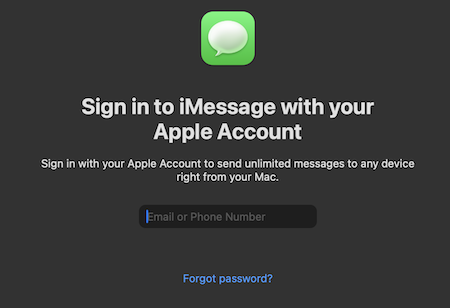
To be clear the iMessage sign in IS for the Messages app. When you open the Messages app on your Mac, if you see a prompt that says "Sign in to iMessage with your Apple Account", then you are good and not signed into iMessage on your Mac. If you don't see that when launching Messages, then you are using your Apple Account for iMessage and you will need to sign out in the app.
Since you referenced the same message on your iPad, then on your iPad you should go to Settings > Messages > iMessage, and make sure that is turned off. With you trying to remove iCloud from your iPad, then you just need to make sure Settings > [name on top] > iCloud > Show All > Messages is turned off. There is a similar setting on your Mac. There is no on/off switch for iCloud, you just have to turn off all apps there so it is not used.
The Account Recovery process IS only for when using 2FA as you can see on the Support Page for using it. As long as you are never going to forget your Security Questions, including the exact syntax, and forget your password, then you are fine without it. Otherwise you will be locked out of your account and will be forced to create a new one. That is what Account Recovery prevents.
If you use two-factor authentication and can’t sign in or reset your password, you can regain access after an account recovery waiting period.
How to use account recovery when you can’t reset your Apple Account password - Apple Support
There is no requirement to be signed into iMessage on your Mac, as I do not use it either and receive no pop-ups. For reference, here is the what I see when launching the Messages app on my Mac where I am not signed in. That would only appear when launching the Messages app, and there are no Popups telling me I need to sign into iMessage.