You can have many tabs, each using a different Profile. I can't see how the window containing those tabs would "inherit" a look.
For example, you can have a tab using the Basic profile (which will be dark or light depending on the system setting), and another using the man page Profile:

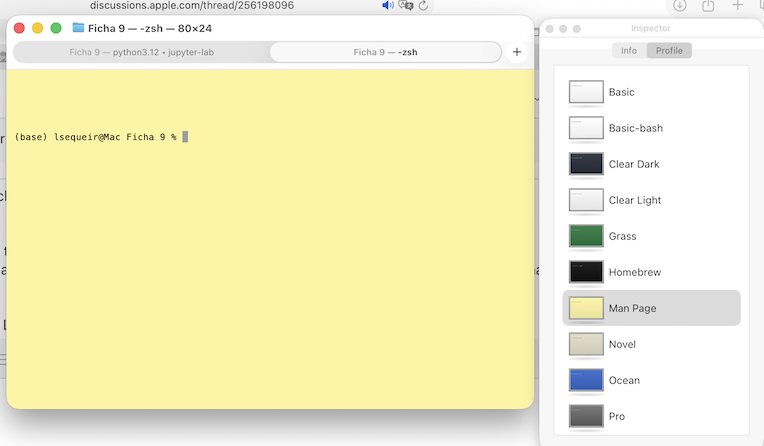
How would the containing window behave in that situation? Should the window bar change color when you select another tab?! Now of course if we change the system from Light to Dark, the window follows:

If your mac overall is using a Light theme, the windows in the applications should follow it.
I don't have access to a Mac running Sequoia right now, but I find your claim that Terminal worked like that in Sequoia difficult to believe. I will have to try it for myself later, when I can test on my wife's Sequoia Mac...
From where I am standing, it seems to all be working as designed. If it works differently in Sequoia, I will report back.


