Update Plug-ins popup keeps showing - Apple Motion

Hi,


Whenever I startup Motion this popup keeps showing even after I click the 'Don't show this alert again' checkbox. I tried deleting the preferences but this didn't seem to work. Also I have removed en installed motion again, also not working...


This is very annoying. Does somebody have an other solution?


Thanks.

Mac Studio

Posted on Jan 12, 2023 12:38 AM

Reply
10 replies

Jan 12, 2023 4:57 AM in response to Sander Zwartepoorte

Hi


Thank you for sharing the news. That is really helpful. I've made a note, and I have also filed a bug report about this too.


Ok, so the only solution I have that might work - is to set Motion to open to a new project - instead of the project browser.


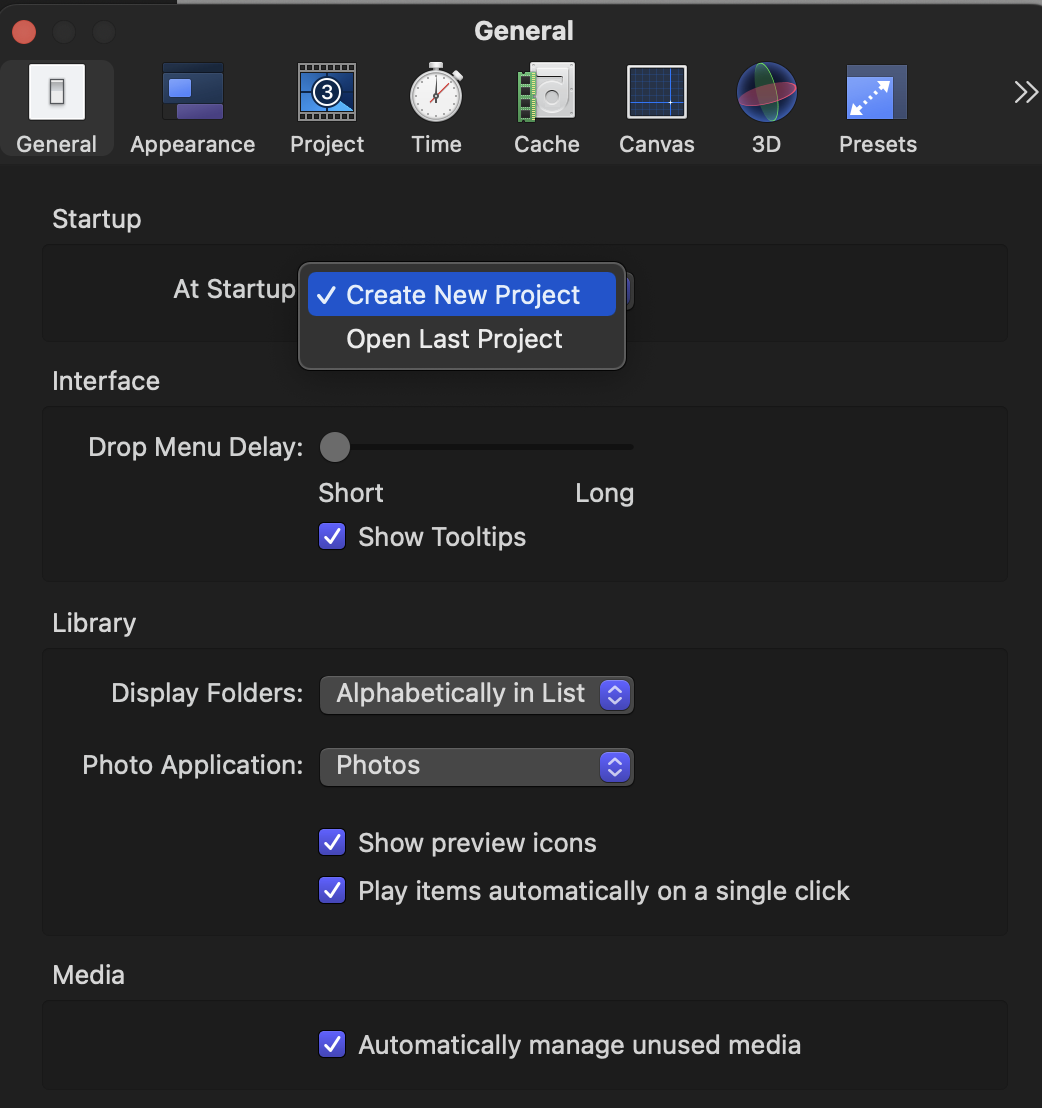
If you go into your Motion preferences - and in general - set the start up action to 'create new project' - so this will go directly into Motion instead of activating the project browser. It is the project browser that searches for all of your plugins to preload - so if we skip the browser - maybe we can skip the pop-up.


..you need to then go the 'general' options - and choose the default motion template that you want to create.
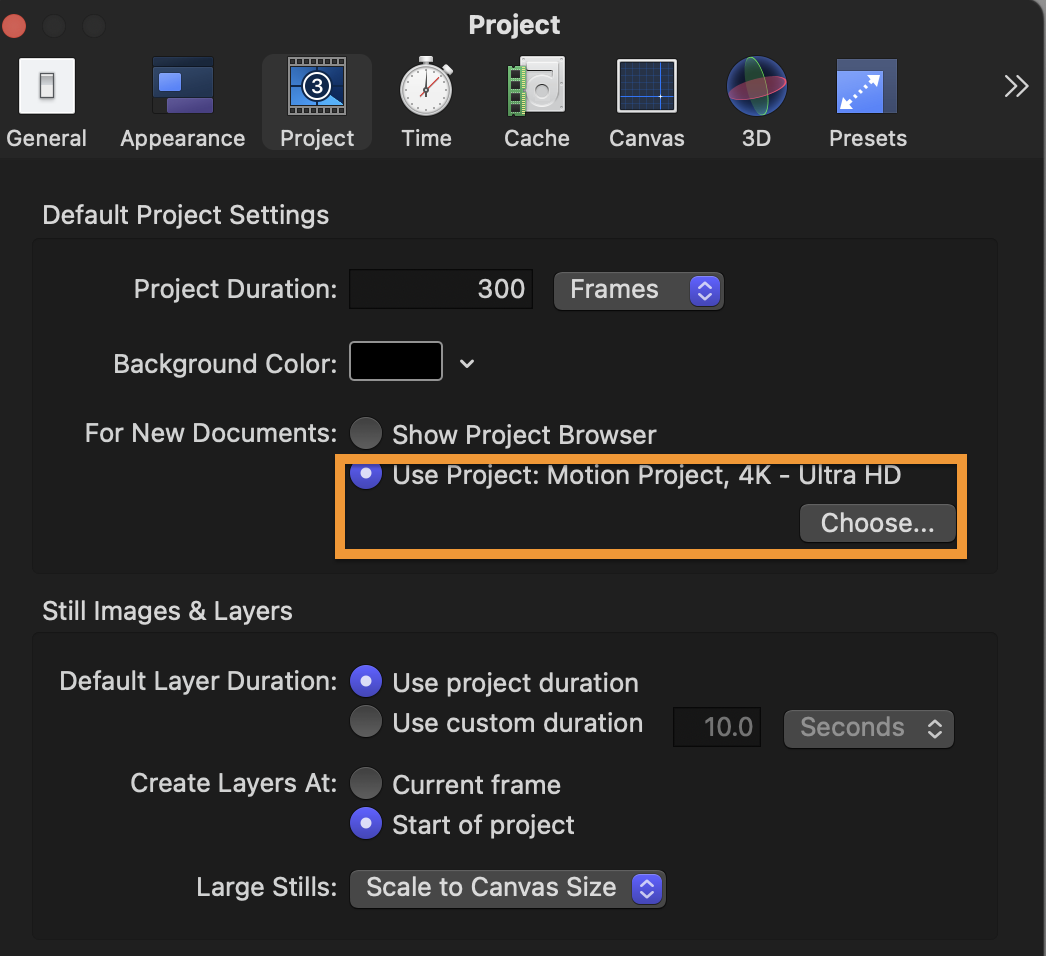


I am not sure if this will work to stop the pop up - but you can try this and see.

This thread has been closed by the system or the community team. You may vote for any posts you find helpful, or search the Community for additional answers.

Update Plug-ins popup keeps showing - Apple Motion

Welcome to Apple Support Community
A forum where Apple customers help each other with their products. Get started with your Apple Account.