Sharing to a Group Message

This might be a weird question, but, I have noticed since I did the update that I can't share to a group message. The group doesn't even come up when I type the name. For instance I share a lot of weird tweets in my family chat and when I try to now, it isn't there. I could start a new thread, but I am being stubborn. My friend chat is also YEARS long and I don't want to lose those receipts. (Ha.) Anyone have a similar issue? I tried turning off MMS and and turning it back on; restarting, but no go.



Posted on Sep 20, 2022 9:56 AM

Reply
2 replies

Sep 24, 2022 8:25 AM in response to SierraPas

Welcome SierraPas,


We understand that groups aren't appearing when you search for them. We'll do our best to assist with this.


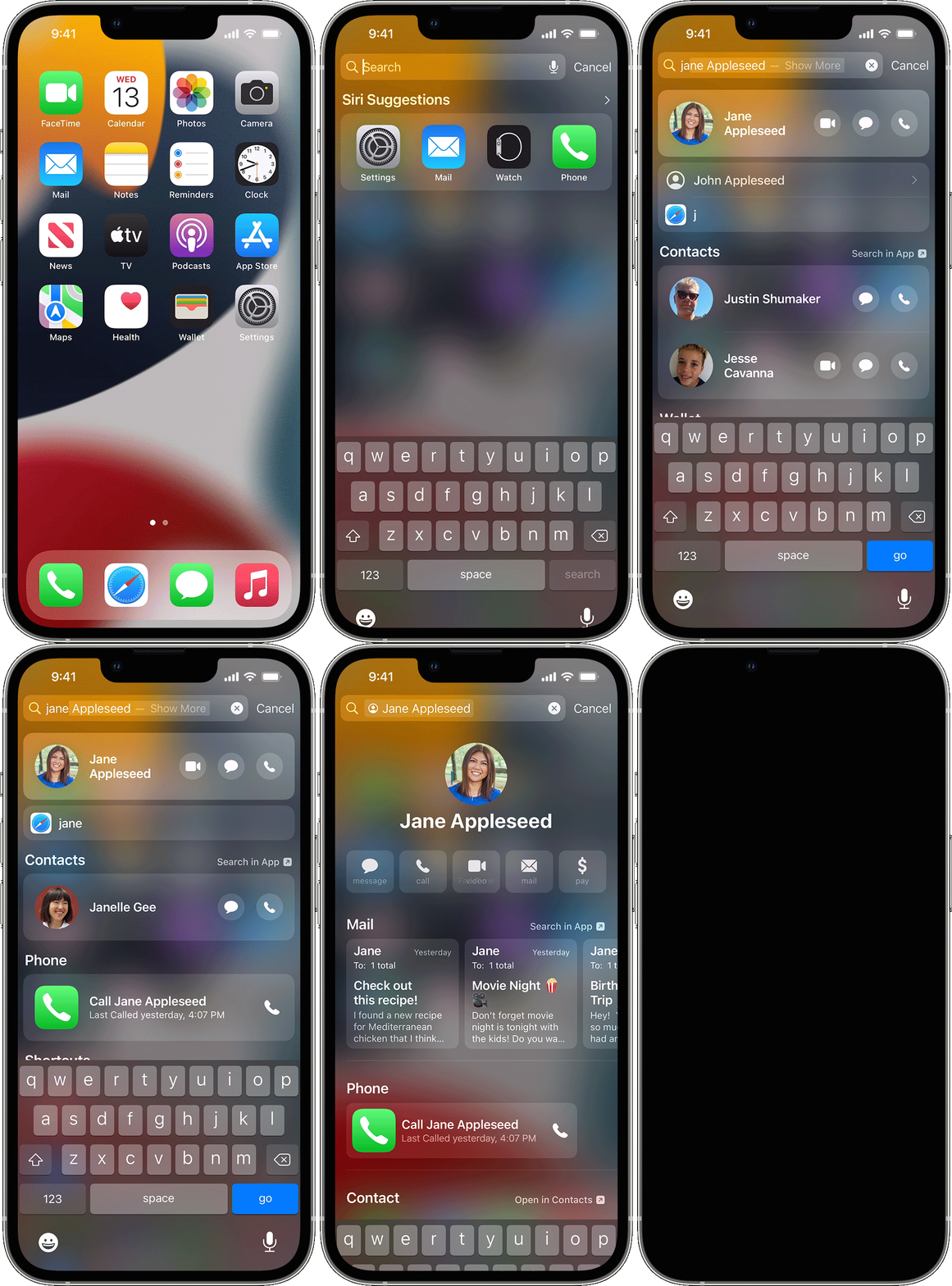
Is this only happening in the Messages app? Do you have any issues searching on your iPhone? This walks through how to use the search feature: Use Search on your iPhone, iPad, or iPod touch - Apple Support


iPhone screen showing how to swipe to search

Swipe to search

1. Swipe down from the middle of the Home screen.
2. Tap the Search field, then enter what you're looking for. As you type, Search updates results in real time.
3. To see more results, tap Show More or search directly in an app by tapping Search in App.
4. Tap a search result to open it.


If this only occurs in the Apple Messages app, does it only occur with group conversations? If so, then it may be best to contact Apple Support


They'll need to take it from here.


Wishing you well, take care.

This thread has been closed by the system or the community team. You may vote for any posts you find helpful, or search the Community for additional answers.

Sharing to a Group Message

Welcome to Apple Support Community
A forum where Apple customers help each other with their products. Get started with your Apple Account.