Why can't I resize the system settings window?
Can only adjust vertically. Need to adjust horizontally to see all the settings options which are often cut off on the right side of the window.
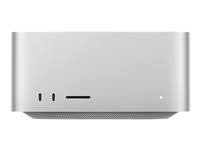
Mac Studio, macOS 15.7
Can only adjust vertically. Need to adjust horizontally to see all the settings options which are often cut off on the right side of the window.
Mac Studio, macOS 15.7
Because all of the options are designed to fit into the window's predefined width, or for the Wallpaper settings, accessible by clicking Show All.
(262370)
Because all of the options are designed to fit into the window's predefined width, or for the Wallpaper settings, accessible by clicking Show All.
(262370)
The answer to your question? Because Apple decided not to code it that way and there’s nothing you can do about except learn to live with it. There is no answer as to why Apple chose to do this.
As for the Wallpaper and Screen Saver panels you can simply place your cursor and swipe left or right with the track pad or mouse. Works for me.
No, they are not all designed to fit into the window's predefined width. As of 15.7.2, the Screen Saver panel has objects that are cut off on the right side of the panel.
Why can't I resize the system settings window?