iPadOS multitasking has received a significant makeover from that to which you may be accustomed in iPadOS 18.x and earlier. The three-dot multitasking button with which you are no doubt familiar from earlier versions of iPadOS has been replaced with the traffic-light button to access and control the revised window-based User Interface.
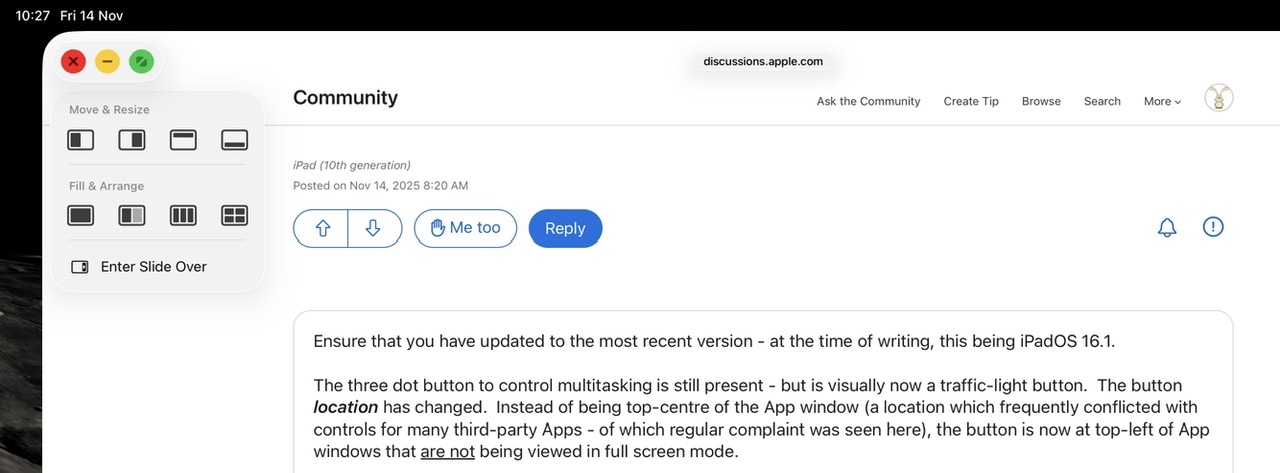
iPadOS 26.2 has both Slide Over & Split Views - although the controls and associated gestures differ in some respects.
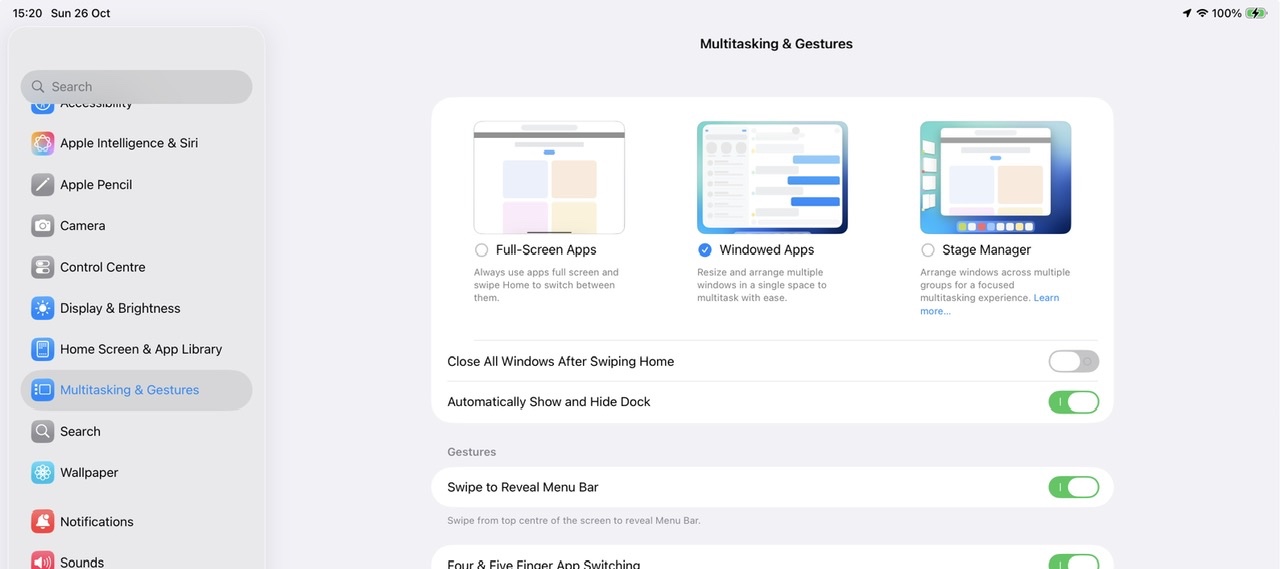
You can, should you choose to do so, fully disable the new window presentation - and with it hide the traffic-light controls - but you cannot restore the older multitasking controls with which you were familiar:
Settings > Multitasking & Gestures - select Full Screen Apps
Being a user-to-user forum, any comments and requests that you post here will not be seen or acted upon by Apple or its development team.
Apple invite submission of constructive comments and feature requests via its Product Feedback portal. If you would like Apple to reconsider recent changes, or alter the appearance of the multitasking controls, this would be the most appropriate and effective path to having your voice heard:
Feedback - iPad - Apple
While you are unlikely to receive a personal reply, it is our understanding that all feedback is logged and forwarded to the appropriate development team(s) for consideration.

