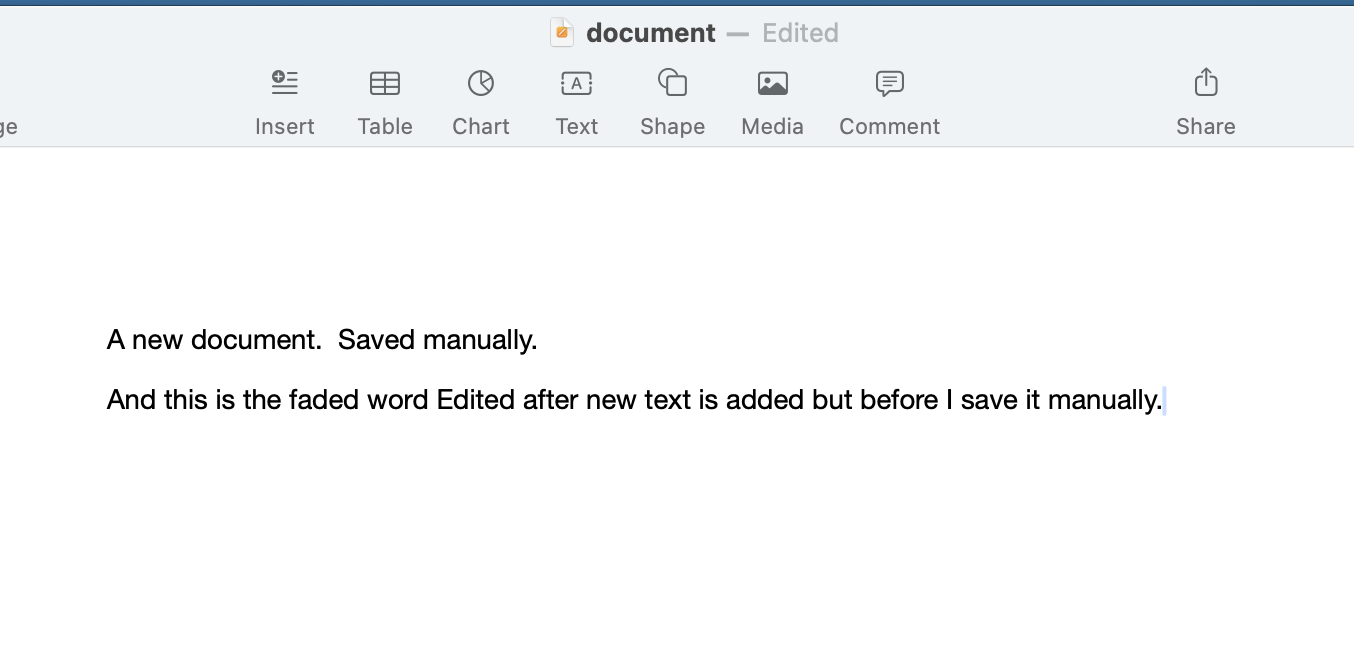
That's interesting. I guess I won't know unless my laptop crashes again. But both times I was forced to reboot in the past month, I lost everything that I hadn't manually saved. The first time, it was 3 days of text. Surely it would have autosaved at least once during that time?
Also, I find this interesting.
VikingOSX wrote:
On my own Pages v14.4 (Tahoe 26 .1) documents, with autosave definitely working, the "Edited" status in the document title bar fades, but never disappears. Your association with that title bar status and autosave not working is incorrect.
So if you manually save your document while you are using it, the word Edited does not disappear? Mine does. It disappears completely. I see it in faded state when I am typing new text, but when I save manually, it disappears. If I don't manually save, it does not autosave.
And to reiterate, I do not see a black dot in the red circle. And if I choose to close the document, I am prompted to save any new text so that part works fine.
I do have Time Machine but can't keep it connected because of the location of my laptop but I do connected it and back up from time to time. I try for daily.
I do not want to close this one document that I use and I for the past five years, I've always left a document open. I also do not shut down my Mac unless I decide to reboot it for some reason. Again, this has worked faithfully for me for many years, on every Mac I've ever owned.
You may be right about the Corespotlightd and Pages problems not being related. This is supposition on my part. All I know is that when Corespotlightd jumps up to 150+% and stays that way for hours/days on end, Pages is the app that also freezes or lags and takes up an inordinate amount of CPU. And if I reset the Corespotlightd files (which was recommended to me as a fix by someone else), both Pages and my laptop work perfectly again. (At least as far as lagging and freezing is concerned -- it does nothing for the fact that my documents no longer auto-save.)
Anyway, I appreciate the time you have taken to respond to my query and will look further into your suggestions although at this time, I feel like we are talking at cross purposes. I know that there are a number of "fixes" I could employ, such as closing my document every day etc, but I really just want my Mac to work the way it always has in the past. I've been keeping my journal in this matter for 6 years on two different laptops through multiple OS updates and I've never had this problem until I updated to Tahoe. And even if it isn't a Tahoe issue, if it's just a coincidence, I am still trying to find a solution to the fact that my documents no longer auto-save every 5 min or so.
Here are two samples. This first, I have typed and saved manually. (No Edited in title line).
The second I have typed but not saved. (Edited in title line)