The files are created by Time Machine. TM will create and store a local snapshot hourly for the last 24 hours plus the last complete backup for each TM destination that wasn't connected in the last 24 hours. Those are in addition to the backups written to the destination disk(s). TM does this for quick access to the backups (and so you have some backups even if the destination disk is not available). You can see that if you use the TM browser because the snapshots are available immediately, then if available the backup source is added.
The way to delete local TM snapshots (if you feel you must) is in Disk Utility. Select the Data volume in the sidebar (or the volume group, the right under the container disk) then select View menu > Show APFS Snapshots.
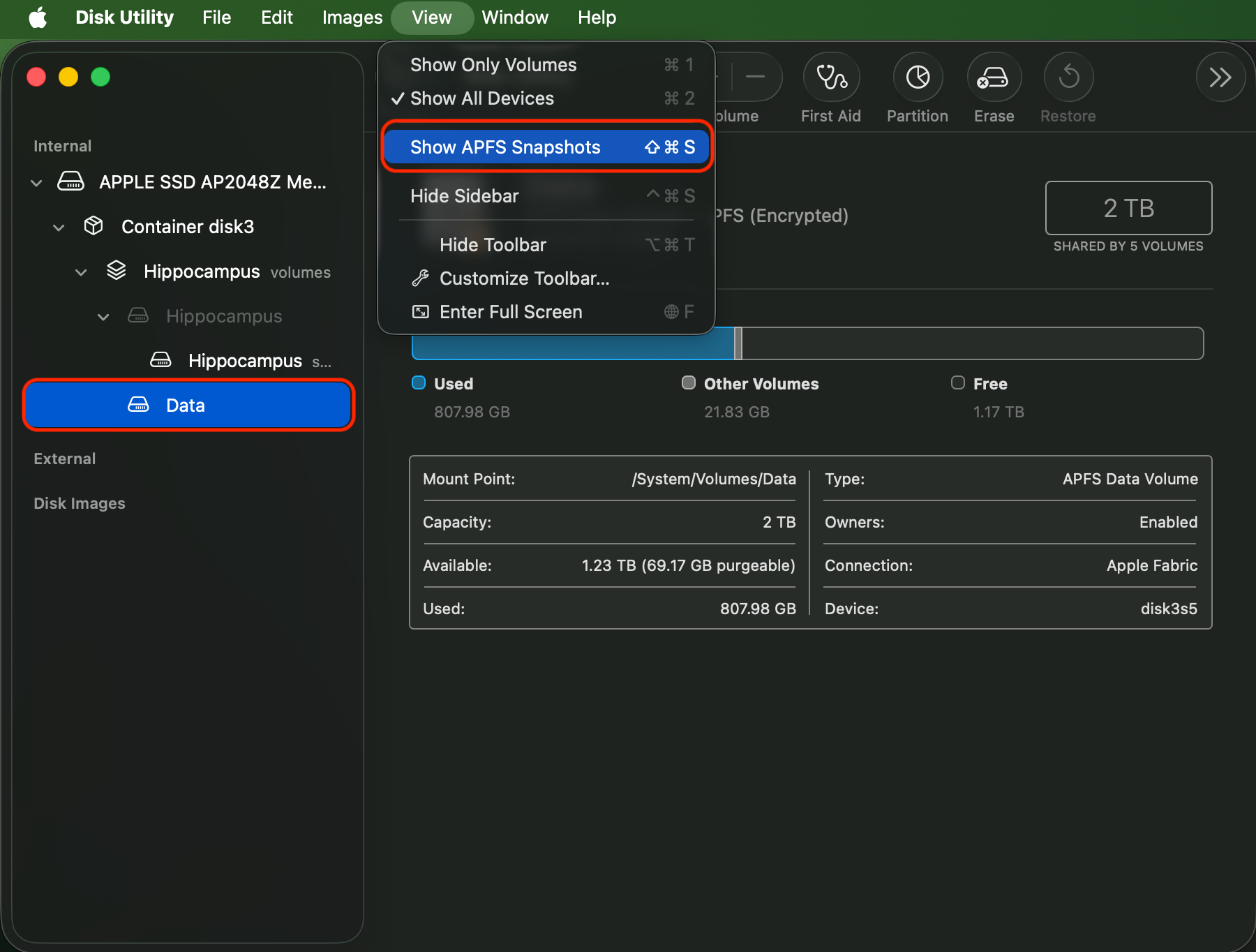
With that, you will see the snapshots listed.
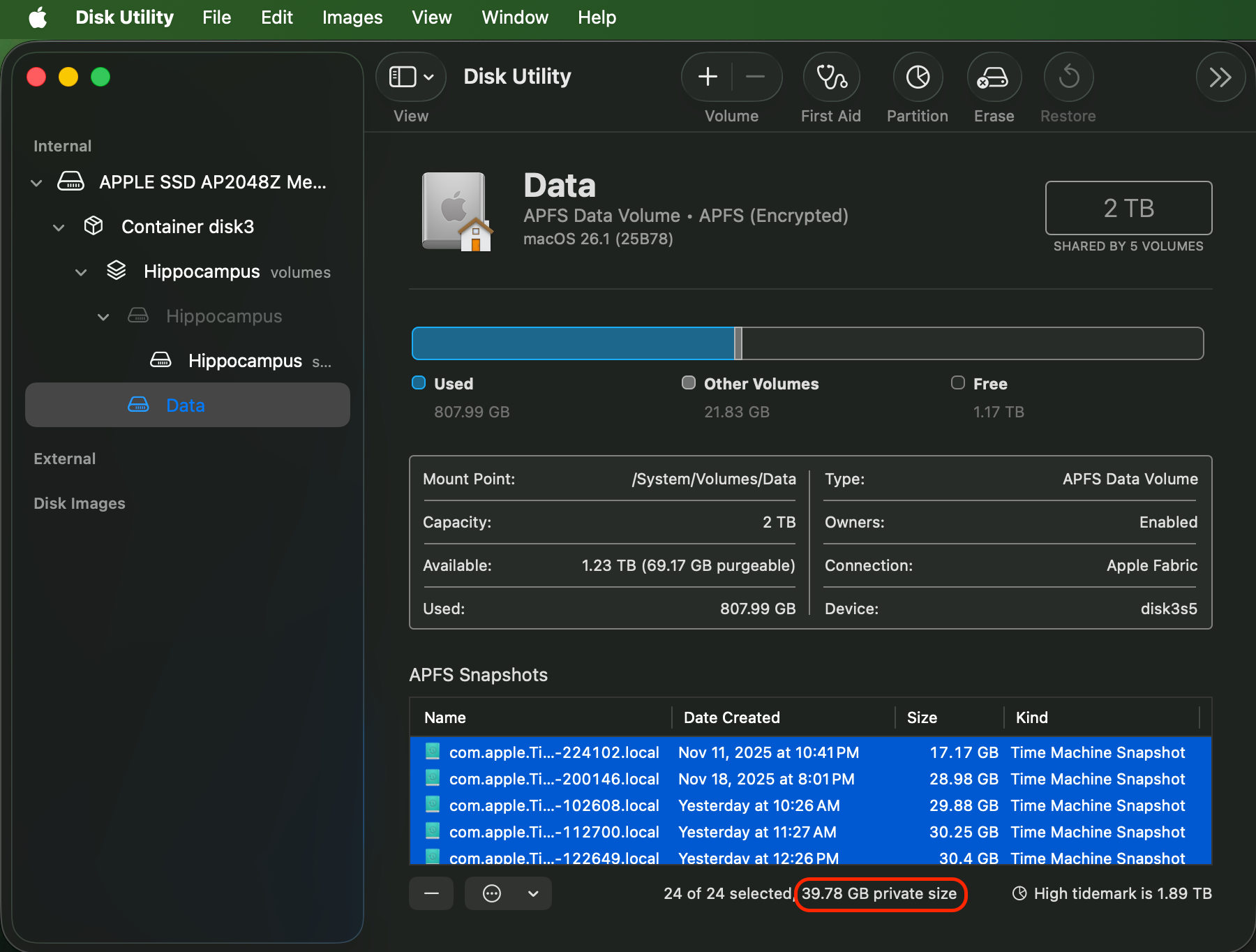
You can select one or more and click the (–) button at the bottom to delete them. If you select them all and let DU calculate, it will show the summary 'private size' at the bottom, that's the total utilization of space for snapshots (it's not the sum of the individual sizes). Is that where you are getting the '80 GB lost' value? I ask because I don't see that usage anywhere in your screenshots.
You can delete them, but TM will just recreate them so the regained space is only temporary.
As colleagues have pointed out, you may need to reconnect the NAS as a TM backup to be able to get around the "Stale NFS file handle" error. Assuming you haven't erased the backups on the Synology NAS, if you select it as a TM destination you should be prompted to Claim the Backups, and you should choose that option.
Bigger picture, personally I have no issues with TM backups to a Synology DS223j. Five Macs in the house back up to it, and I also have a set of 4 TB SSDs that I use as secondary backups and connect once a week to run a backup then swap the SSDs to an office location (that's why my list of snapshots in the screenshot above has one from 11/11 and 11/18, those are the last successful backups to the SSDs and the others starring with 'yesterday' are the past 24 hours that are also backing up to the NAS).




