RoseCahalan wrote: …Here's what I see when I enter 60x27 for aspect ratio...doesn't look right.
That makes no sense! Here's what I get:
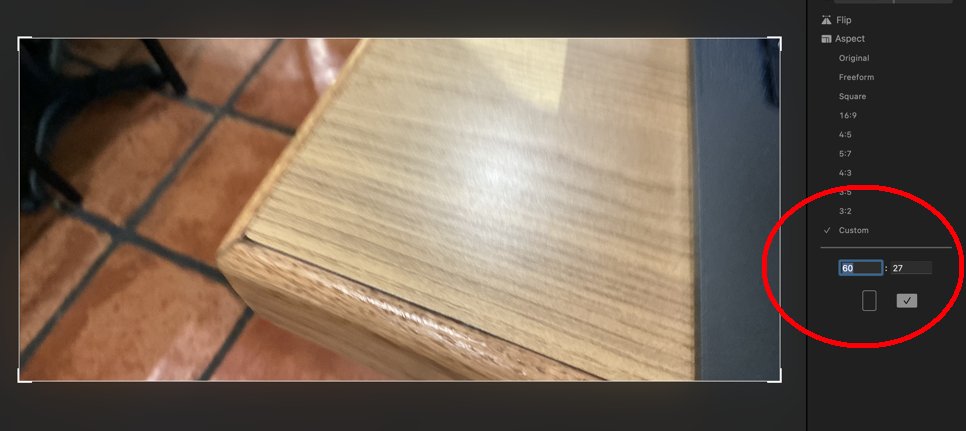
which looks just right. It's almost like yours is seeing a decimal point, or something that we don't.It certainly looks the same! Did you try messing with it--try 60x30 or 61x28, just to see if you can tell what's going on? This was a normal 4x3 picture to begin with, right?
What you did was clever, but way too much trouble!
If jiggering with it doesn't work, close and re-open Photos. If that doesn't work, then to narrow things down, try these steps:
- Restart the computer (of course)
- Re-start in Safe Mode. This bypasses certain potentially disruptive processes, and it often helps. Safe Mode is different for different computers, so see this:
Start up your Mac in safe mode - Apple Support
- Use another library if you have one, or make a small test Library with a few pictures in it and see if the same thing happens. You can create a new Library by closing Photos and then option-clicking on the Photos icon.
- Make a new user and see if the same problem recurs with it. This is a bit harder, because a new user can't access a different user's stuff. You would need to move your Library out of your own user's folder up to the general "Users" folder.
- Rebuild your Photos Library--close Photos and re-launch by option-command-clicking the app icon. If you use iCloud Photos, it’s possible that this will cause a re-sync that lasts long enough to make you nervous.
The idea is to find out if the problem is with the Library, with your account, or with caches and login items, and stuff like that. One of these steps may fix the problem, but their failure to work also helps figure out what's happening.
Let me know!


