Try: Feedback - Photos - Apple
To select the folder with images, you have to do it in two steps.
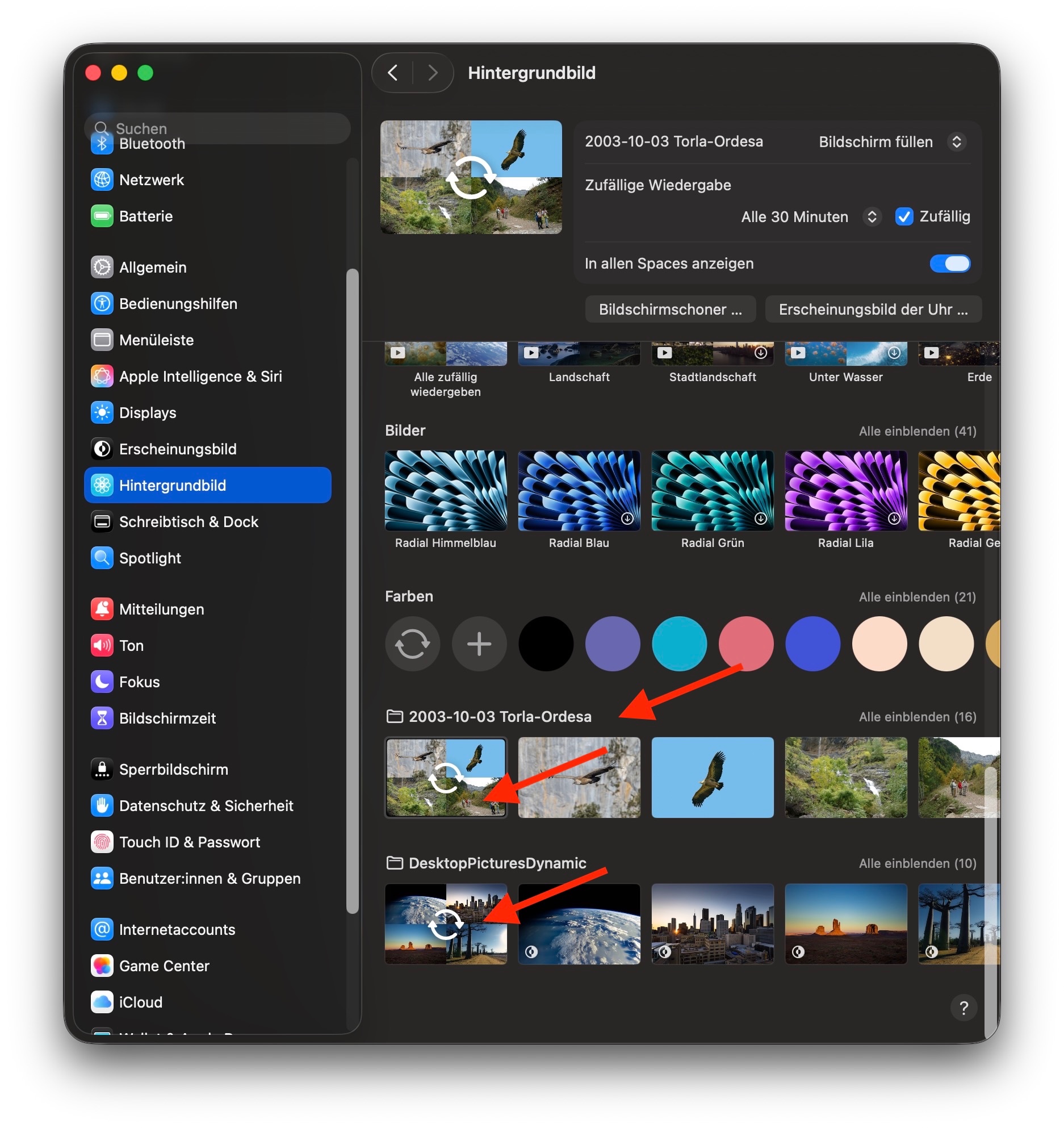
- First you click "Wallpaper" in the sidebar of the Setting, then below "Your Photos" click "add Photo" and select your folder. This will not yet change the selected wallpaper, but will add your folder with photos at the bottom of the list of available wallpapers.
- Now click the first picture in the added folder (way down at the bottom), it should be showing an overlay of chasing arrows, to make this folder the source of your wallpaper. You may need to scroll the list to see your added folder and be able to select it.
I have added two different folders with wallpapers, both are working well, one with dynamic backgrounds, one with still frames. Sorry, my Mac is set to German, but the screenshot will show you where to look for your added folders, below the solid colors: