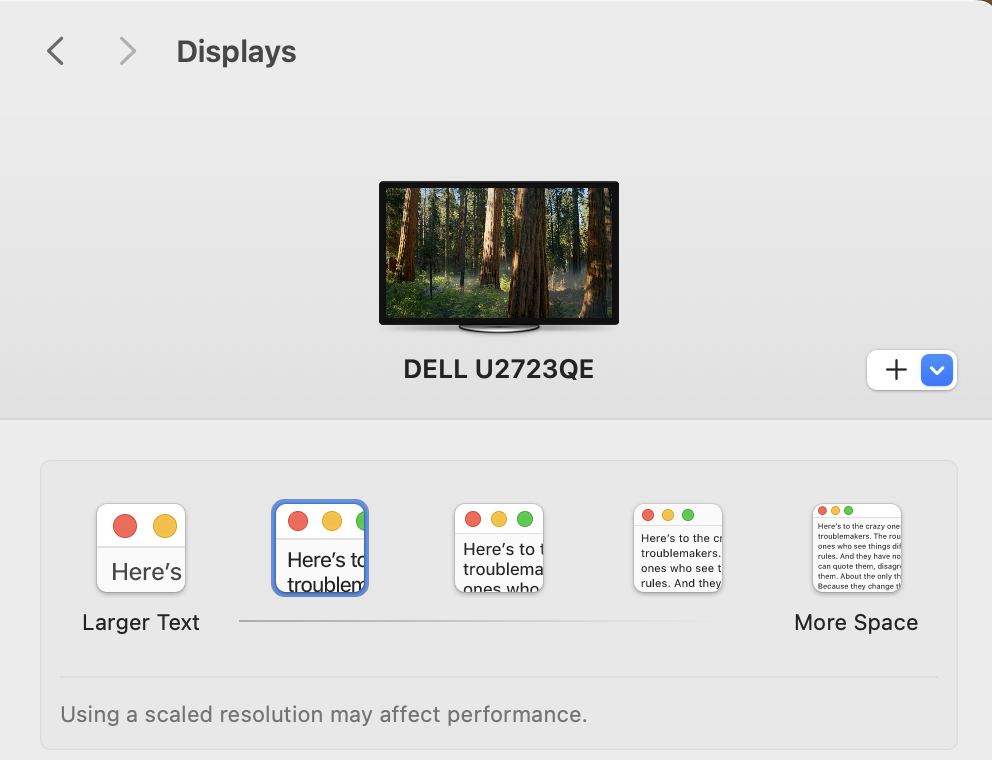
I'm on an earlier version of Sequoia, which presents choices for my 4K monitor in three ways. Are you certain that your Mac stopped showing scaling options, and didn't simply switch from one view to another?
[Advanced…} Show resolutions as list OFF
Everything except "More Space" represents a Retina scaling mode. (Larger text = Retina "like 1920x1080", where the Mac draws in detail on a 3840x2160 pixel canvas.). You can see numeric "resolutions" by hovering the mouse pointer over the icons and looking for the small print that pops up underneath.
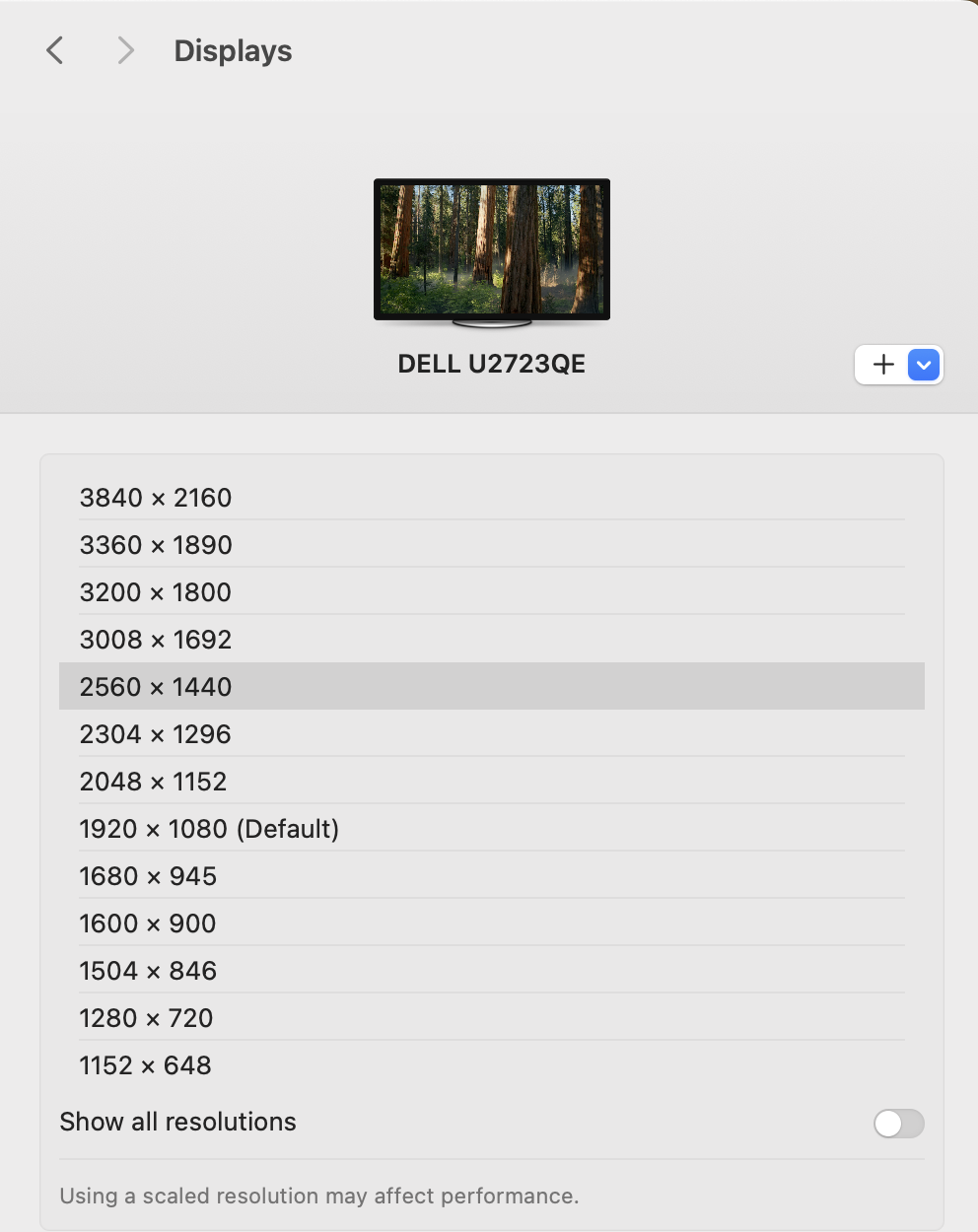
[Advanced…} Show resolutions as list OFF, and Show all resolutions OFF
The choices between 1920x1080 and 3840x2160 are the same as in the icon view, and there are additional really low choices that normally are of no interest.
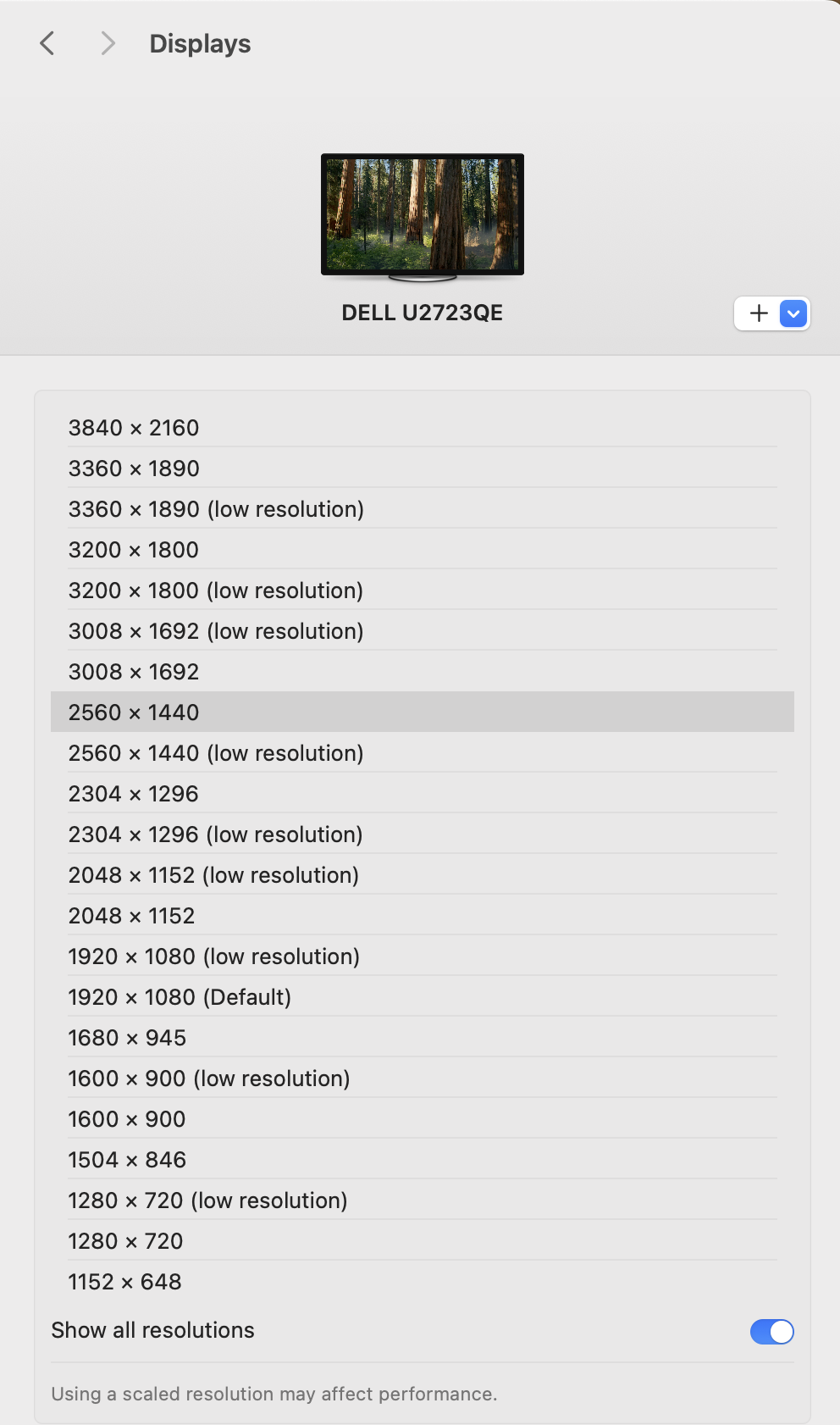
[Advanced…} Show resolutions as list OFF, and Show all resolutions ON
Now we see a bunch of "(low resolution)" choices, too – e.g., "1920 x 1080 (low resolution)" where the Mac draws things at a 1920x1080 (not 3840x2160) level of detail.