How to close Frozen software update window for iPadOS 15.4.1

I can’t close the software update window that appeared after I installed iPadOS 15.4.1 and my IPad is frozen. It won’t close when I press ‘ok’ and I can’t shut the iPad down either, because it won’t recognise any button touch while the software update window is still on the screen.

iPhone 5, iOS 9

Posted on Apr 15, 2022 8:46 PM

Reply
Question marked as Top-ranking reply

Posted on Apr 16, 2022 3:08 PM

Hello mindfuljacknz,


You can use these steps if you iPad is frozen:


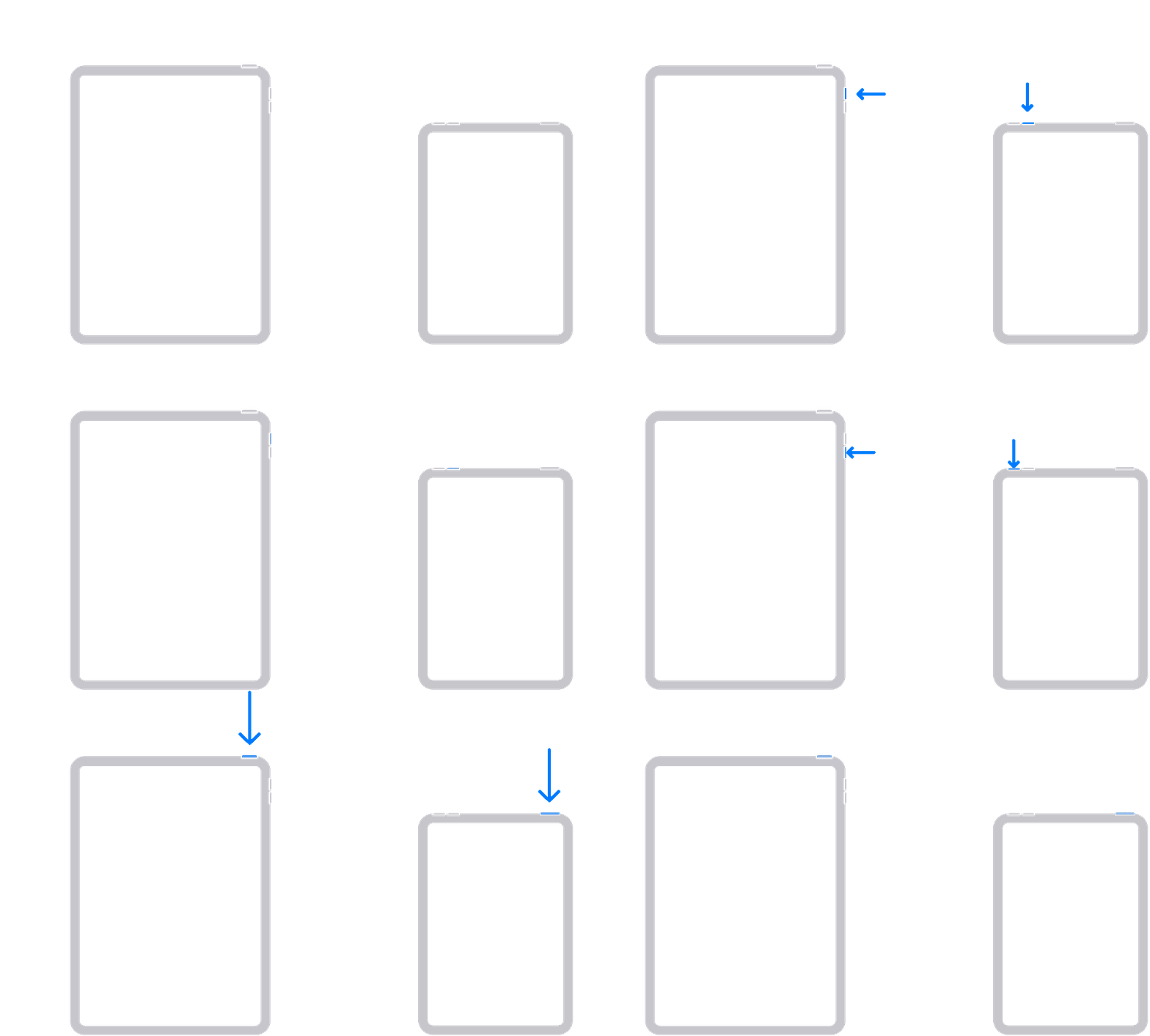
1. Press and quickly release the volume button closest to the top button.
2. Press and quickly release the volume button farthest from the top button.
3. Press and hold the top button until the device begins to restart.


You can find these steps in this article: If your iPad won't turn on or is frozen


Best Regards.


1 reply
Question marked as Top-ranking reply

Apr 16, 2022 3:08 PM in response to mindfuljacknz

Hello mindfuljacknz,


You can use these steps if you iPad is frozen:


1. Press and quickly release the volume button closest to the top button.
2. Press and quickly release the volume button farthest from the top button.
3. Press and hold the top button until the device begins to restart.


You can find these steps in this article: If your iPad won't turn on or is frozen


Best Regards.


This thread has been closed by the system or the community team. You may vote for any posts you find helpful, or search the Community for additional answers.

How to close Frozen software update window for iPadOS 15.4.1

Welcome to Apple Support Community
A forum where Apple customers help each other with their products. Get started with your Apple Account.