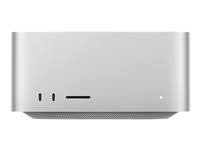
My iMac is making hourly Time Machine backups during sleep mode. How can I keep it from doing that?

My iMac is in my bedroom. I don't want to shut it down every night (it takes a long time to start up,) I just want it to go to sleep and do nothing. But it thinks it has to do hourly Time Machine backups in the middle of the night, and my wife is sensitive to the sound of the backup disk.


There used to be an option for Intel Macs to avoid that, by turning off the "Power nap" option. That's gone for Apple Silicon macs.


Any ideas? I know that I can shut down the computer every night or that I can just stop Time Machine from doing regular backups. But that's not what I want to do.

iMac 24″

Posted on Nov 23, 2025 12:49 PM

Reply
10 replies

Nov 23, 2025 1:19 PM in response to Christoph Drösser

You cannot do what you want to do using the settings, and only Apple can change that.


To have Apple consider your feedback, submit it here:

Feedback - macOS - Apple


As you noted, Power Nap is permanently on with Apple Silicon Macs. If you are ok using a pmset Terminal command, you can set hibernate mode 25. I suspect (but don't know for certain) that will block the sleeping backups.


https://www.intego.com/mac-security-blog/what-does-your-mac-do-when-its-sleeping/

Nov 23, 2025 1:54 PM in response to lkrupp

lkrupp wrote:
Personally once per day is plenty for me.

FWIW, I set one of our Macs to once daily, and I suspect macOS thought it was being helpful by running that one backup in the middle of the night. That was Sequoia, I haven’t tried on Tahoe.


Depending on the size of the internal drive relative to budget, an SSD for backup is another potential solution.

My iMac is making hourly Time Machine backups during sleep mode. How can I keep it from doing that?

Welcome to Apple Support Community
A forum where Apple customers help each other with their products. Get started with your Apple Account.