After Tahoe upgrade - Mail font problem

After upgrading to Tahoe, my Mac Mail Message List font is too small. I tried changing the font size: does not work. It says the font is "System Font Regular", but I don't see that font in the font list. How do I make the font bigger??

iMac (2017 – 2020)

Posted on Sep 26, 2025 12:09 PM

Reply
Question marked as Top-ranking reply

Posted on Nov 21, 2025 2:15 PM

Never mind... a Grok search disclosed this as a known issue, with known solution.

I had some older (2004) Helvetica font variations installed which the Tahoe version of Font Book now diagnoses as faulty and unusable. Removing those additional styles corrected Mail's behavior.

7 replies

Nov 10, 2025 9:26 AM in response to Chuck_Ga

I've been writing emails in my gmail account on my Firefox browser for over a day now. Everything has been fine, until this morning, when I inadvertently double-clicked on the text of what I was writing, and the font suddenly went to microscopic. Double-clicking again did not bring it back to the previous size. I've tried suggestions offered here (going to settings, etc.), but thus far to no avail. Looking for other suggestions. Thanks.

Nov 21, 2025 12:46 PM in response to Chuck_Ga

Hopefully, this isn't a hijack, but...


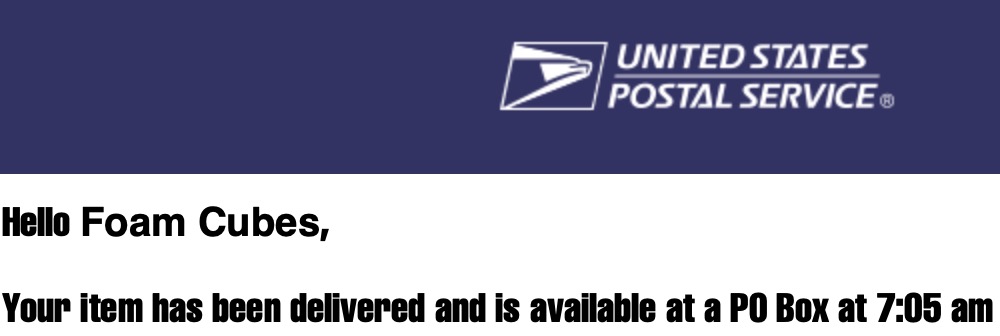
I'm seeing very similar problems after upgrading to Tahoe last night. The message bodies of my (non-HTML/CSS) mail are now overwhelmingly in some small black condensed font. I can make it bigger with ⌘+, but I'd really like to get rid of the freakish font.


Mail Settings say my body text is Helvetica 14, but apparently it really isn't anymore. This behavior has also changed the appearance of old, saved mail from before the Tahoe upgrade (see image 2).


Searching for "font" in System Settings doesn't show anything useful, except for a table in which it advises that Mail controls its own.


(Image show WAY larger than size on screen)


Mail from today:

Mail saved from days ago:

After Tahoe upgrade - Mail font problem

Welcome to Apple Support Community
A forum where Apple customers help each other with their products. Get started with your Apple Account.


