mandogeekgal wrote:
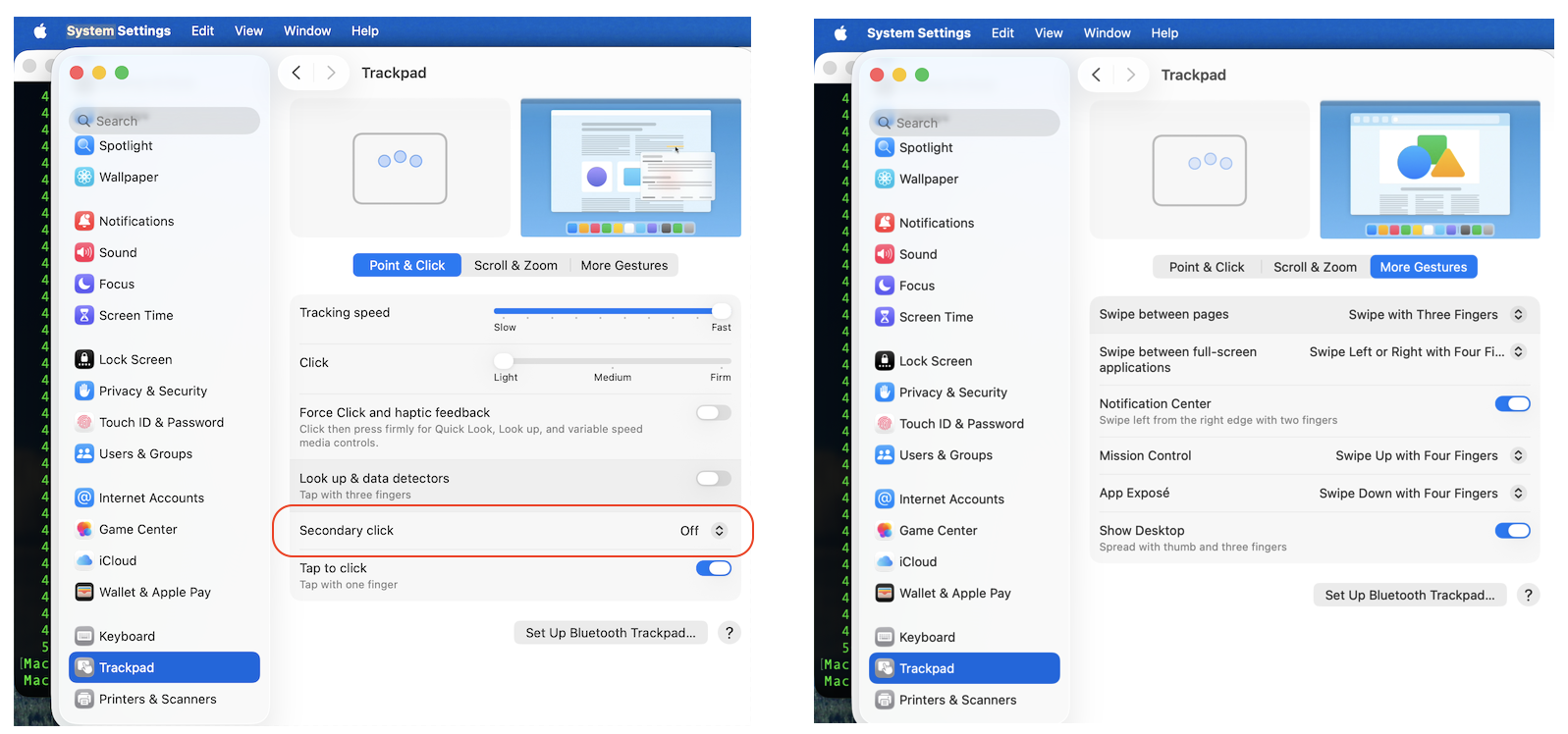
I was using two finger tap to get the secondary menu.
Control-one finger tap works, but I’d prefer the old two finger tap so as not to have to have hand on keyboard as well.
Suggestions?
[Edited by Moderator]
"Control-one finger tap works, but I’d prefer the old two finger tap so as not to have to have hand on keyboard as well."
I get it now...
I see no difference in the way the Track pad responds.
Make changes to your settings and compare your results
I would avoid any options that conflict, look at your Accessibility settings>>Pointer Control>Trackpad options

you to submit your Apple Feedback here: Product Feedback - Apple
How to use the Force Touch trackpad
How to use the Force Touch trackpad - Apple Support
Change Trackpad settings on Mac
Change Trackpad settings on Mac - Apple Support






