How to disable liquid glass in iOS 26?
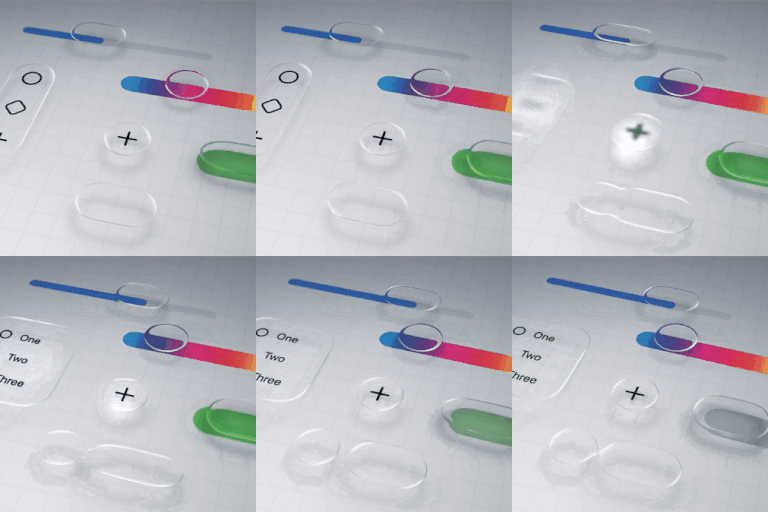
Is there a way to completely disable the liquid glass functionality on iOS 26? I'm not going to get into a lengthy diatribe over why it's awful, I just want it gone.
iPhone 13 Pro Max, iOS 18
Is there a way to completely disable the liquid glass functionality on iOS 26? I'm not going to get into a lengthy diatribe over why it's awful, I just want it gone.
iPhone 13 Pro Max, iOS 18
Zedairder wrote:
The best you’ve got is reduced motion, which I assume you already have enabled.
Also Settings>Accessibility>Display & Text Size>Reduce Transparency and Increase Contrast.
But yeah, definitely not optional!
Awesome! I never went into customize. Love the option of having the time displayed in solid instead of Liquid Glass. Thanks for the note.
This might help?
Thanks for the very clear instructions.
Reduce transparency was enough for me, but I'll look at the other settings and change them if I find I need to.
It’s so ugly, prescriptive and not clean
apple is losing the design edge
Same. I'm so sick of the forced unnecessary display changes 😡
I can barely read the time on my lock screen and I can’t tell what apps are in some folders now. This is ridiculous.
I tried the accessibility changes and they don’t help at all.
https://discussions.apple.com/thread/256136970?answerId=261731477022#261731477022
here's my previous answer to this question.
Thanks. It worked. Unintuitive that it would be a per-wallpaper setting.
I don’t believe this was tested with anyone that is visually impaired.
I don’t know but it makes me feel sick like if it doesn’t go away I’ll be switching to android if this is their new thing it makes me so nauseous
Glad to help.
the most important thing is the accelerometer switch for glare in paintings. this greatly affects productivity and battery.
yes, but all interface effects disappear. and you only need the function to disable the effect on the icons that uses the accelerometer.
Thanks for this!! This helps!
lobsterghost1 wrote:
No worries. You know I'm thorough!
The thoroughest.
How to disable liquid glass in iOS 26?