Hello Spoursy,
Just to clarify, do you have access to any other Apple devices? If you're the family organizer, you can use an iPhone, iPad, iPod touch, Apple Watch, or Mac to approve or decline an "Ask to Buy" request.
This link outlines the available options and ways to approve or decline requests, and may help: Approve what kids buy with Ask to Buy
How to approve or decline a request
If you're the family organizer, use your iPhone, iPad, iPod touch, Apple Watch, or Mac to approve or decline a request.
1. Open the notification to see the item that your family member wants to get. Can't find your Ask to Buy notifications?
2. Approve or decline the purchase.
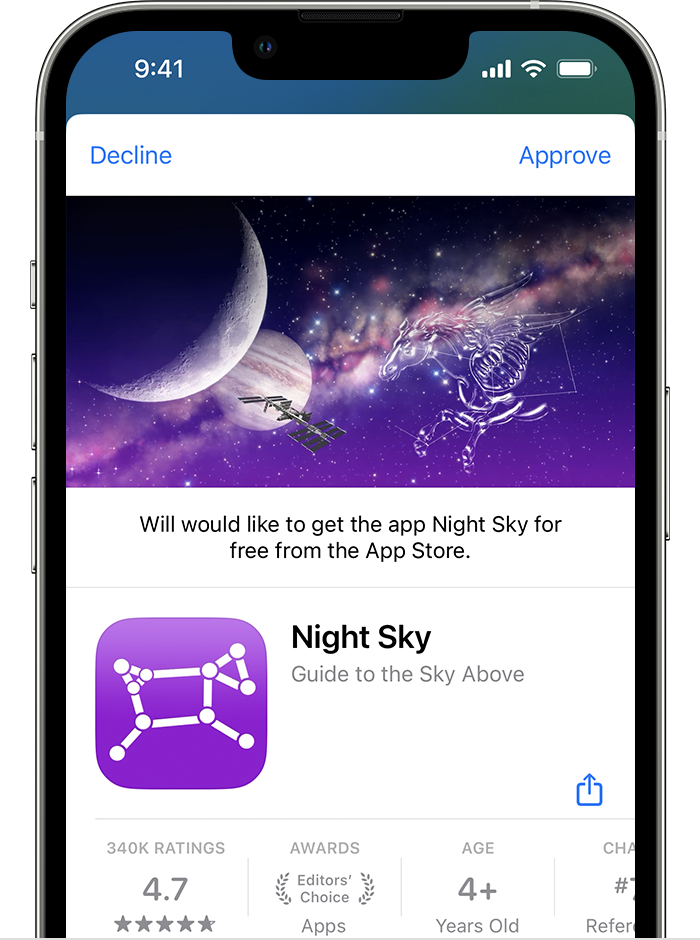
3. If you approve, sign in with your Apple ID and password to make the purchase.
What happens next
After the item is purchased, it's added to your child’s account.2 If you turned on purchase sharing, the item is also shared with the rest of the family group.
If you decline a request, your child receives a notification that you declined the request. If you dismiss the request or don't make the purchase, the child will need to make the request again. In iOS 16.1 or iPadOS 16.1 or earlier, requests that you decline or dismiss are deleted after 24 hours.
Where to find your Ask to Buy requests
If you miss an Ask to Buy notification, you can find the request in Messages on your iPhone, iPad, iPod touch, Apple Watch, or Mac. If you don't see the request in Messages, you can find your Ask to Buy request in Notification Center.
Thanks!



