Not all bank account, investment accounts and retirement accounts will be eligible for transfer. Please confirm with the issuing bank that the account is eligible for transfers to Apple Savings Account. Once verified, please follow the steps below,
Deposit money into Savings
When you open Savings you agree to automatically deposit Daily Cash that you earn into your Savings account.3 You can also add money to Savings from a linked external bank account or from Apple Cash.
- On your iPhone, open the Wallet app and tap Apple Card.
- Tap Savings account, then tap Add Money.
- Enter the amount that you want to add, then tap Add.
- Select or add the payment source that you want to add money from.
- Double-click the side button to confirm with Face ID, Touch ID, or your passcode.
Money that you deposit into Savings starts earning interest on the day that the transfer is initiated from the Wallet app.
If you transfer money from Apple Cash, the funds are typically available instantly. If you transfer money from a linked external bank account, it will generally take a few days for funds to be available for withdrawal.
If you have not added the external account to your Wallet on your iPhone please follow these steps.
How to add money to Apple Cash
After you set up Apple Cash, you can add money to your balance using the debit or prepaid cards that you already use with Apple Pay in Wallet. If you don’t already have one of these cards in Wallet, you need to add one before you can add money.
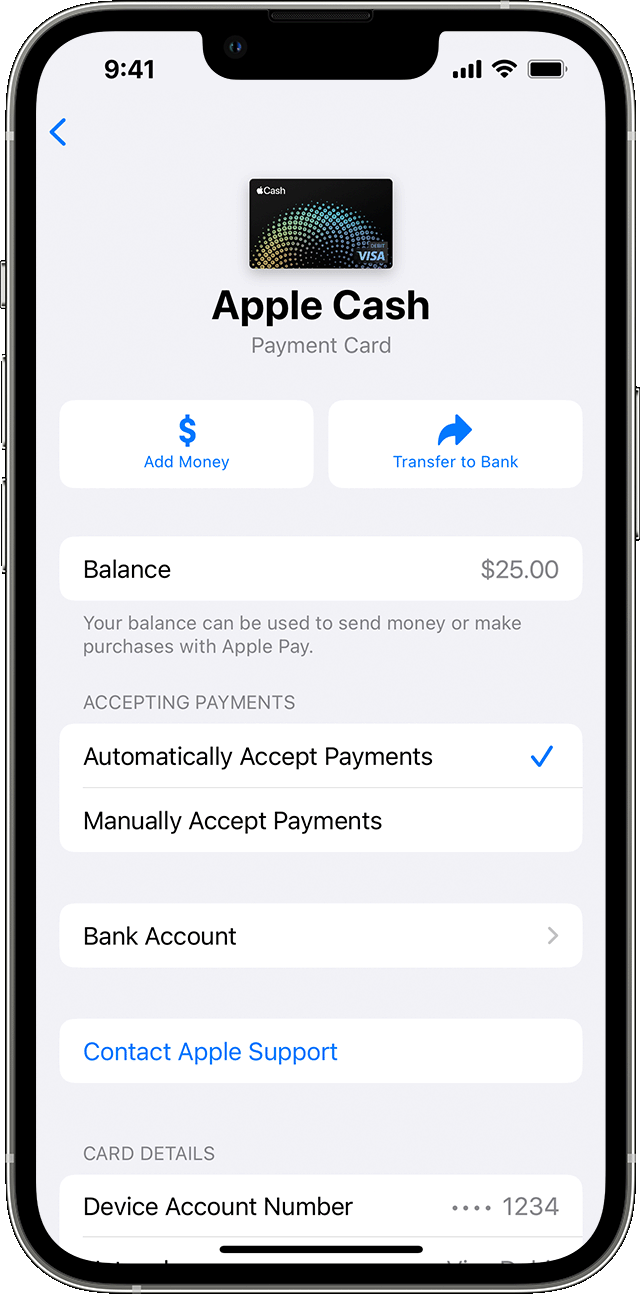
- Go to your card info:
- iPhone: Open the Wallet app, tap your Apple Cash card, tap the More button
 , then tap Add Money.
 - iPad: Open the Settings app, tap Wallet & Apple Pay, tap your Apple Cash card, then tap Add Money.
- Apple Watch: Open the Wallet app, tap your Apple Cash card, tap Card Balance, then tap Add Money
- Enter an amount. The minimum is $10.
- Tap Add, then confirm the U.S. debit or prepaid card2 that you want to use to add money, and confirm the correct billing address. To use a different debit or prepaid card, tap the arrow
 next to your card, then choose a card.
 - Confirm with Face ID, Touch ID, or passcode.
To make sure that your balance is updating, you need a cellular or Wi-Fi connection.
If you continue to have errors or frustration with the process, please contact Goldman Sach support team,
CONTACTING — Goldman Sachs Bank
Using Messages; chat with an Apple Card specialist
Call toll-free at 877-255-5923; or
Write to: Goldman Sachs Bank, Lockbox 6112, P.O. Box 7247, Philadelphia, PA 19170-6112.


