MacOS Ventura Calendar - After editing an event, focus jumps to a different day

Hello!


After upgrading to MacOS 13.0.1 Ventura, my customer who uses the calendar extensively, is now complaining that after editing an event and saving it (or clicking on the day of the event), it takes her to a completely different day. From what I observed, 4 days prior.


There doesn't seem to be a reason for the day the system "picks" but it never brings her to the day she's on or wants to work on.


Anyone having this issue?


Any idea how to make it stop doing that?


Many thanks!


Pierre


Posted on Dec 29, 2022 1:31 PM

Reply
Question marked as Top-ranking reply

Posted on Dec 30, 2022 2:49 PM

Hello Pierre,


If the Calendar app is behaving unexpectedly after editing events, let's first ensure that your client is following the steps in the 'Modify an event' section here to start to isolate what's happening: Add, modify, or delete events in Calendar on Mac


If these are the actions they are performing and this behavior continues, then we would recommend they update to the latest version of macOS, 13.1. This installs feature improvements and bug fixes that can resolve issues like this. These steps from Update macOS on Mac walk you through how to back up and update the Mac:

Before installing new software, it's a good idea to back up your Mac.

1. From the Apple menu  in the corner of your screen:
• Choose System Settings. Then click General in the sidebar, and Software Update on the right.
• Or choose System Preferences. Then click Software Update.
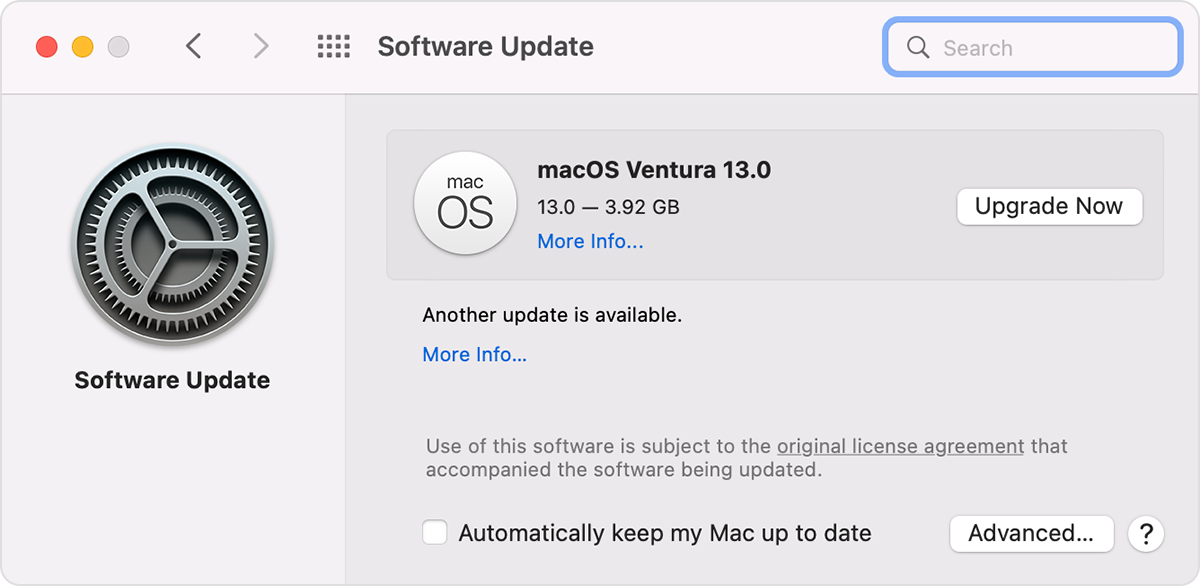
2. If Software Update finds new software, click the Update Now or Upgrade Now button to install it.
Software Update windowe

3. Enter your administrator password, if asked. During installation, your Mac might restart, and you might see a progress bar or blank screen several times.


Cheers!


2 replies
Question marked as Top-ranking reply

Dec 30, 2022 2:49 PM in response to tcp179

Hello Pierre,


If the Calendar app is behaving unexpectedly after editing events, let's first ensure that your client is following the steps in the 'Modify an event' section here to start to isolate what's happening: Add, modify, or delete events in Calendar on Mac


If these are the actions they are performing and this behavior continues, then we would recommend they update to the latest version of macOS, 13.1. This installs feature improvements and bug fixes that can resolve issues like this. These steps from Update macOS on Mac walk you through how to back up and update the Mac:

Before installing new software, it's a good idea to back up your Mac.

1. From the Apple menu  in the corner of your screen:
• Choose System Settings. Then click General in the sidebar, and Software Update on the right.
• Or choose System Preferences. Then click Software Update.
2. If Software Update finds new software, click the Update Now or Upgrade Now button to install it.
Software Update windowe

3. Enter your administrator password, if asked. During installation, your Mac might restart, and you might see a progress bar or blank screen several times.


Cheers!


This thread has been closed by the system or the community team. You may vote for any posts you find helpful, or search the Community for additional answers.

MacOS Ventura Calendar - After editing an event, focus jumps to a different day

Welcome to Apple Support Community
A forum where Apple customers help each other with their products. Get started with your Apple Account.